Best budgeting apps of 2023
YNAB: You Need a Budget Review
If you’re ready to account for where every cent of your money goes, You Need a Budget could work for you. The app is based on the premise of “giving every dollar a job,” meaning you budget for every expense — fixed, discretionary or otherwise. Want to buy a new purse or pair of shoes? If your monthly clothing budget is $100, then you may not be able to afford it this month. Friends want to double date at that trendy new Italian restaurant? It may not be in your $200 dining out budget.

The app makes budgeting straightforward, allowing you to see how much over or under you are for a particular line item. But it’s best for people who want to get serious about how much they actual spend and where they may need to make sacrifices to achieve a larger goal.
What I Liked
Zero-based budgeting is tough, but I can see its value. You have to account for every dollar coming in, either using it to cover monthly household expenses, pay off debt, for dining out and for what YNAB calls “quality of life” expenses like vacation. During this process, I realized that I’m not as good a budgeter as I thought. I do a good job of tracking our spending after the fact, but I could improve when it comes to setting aside money for specific purposes — basically being more financially proactive. For example, before using this app, I had no idea how much my husband and I spent each month dining out and we never really set aside a specific amount for this purpose. It was more like “we’ll eat out no more than two times a week.” I also had no gauge of my own discretionary spending, since this money comes out of my personal account. Using the tool allowed me to see that we spend less than $200 a month eating out, but that I need to keep a better eye on my discretionary spending for things like beauty and hair products and anything from Amazon.com (Amazon Prime admittedly has turned me into a shopping junkie). We plan to buy a house within a few years, so YNAB allowed me to see that these are two areas where we (or I) could curb spending and put that additional money toward a down payment. Actually seeing the budget also showed me that we could be saving more. We have more cushion than we need in our account for household expenses, so it might be better to put more of that money toward retirement or paying down my student loans.
Hmmm, Not So Much
The set-up process. Before you set up the mobile app, you had to set everything up on desktop. This took me several days because I had difficulty importing information from my bank account.
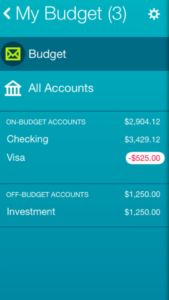
After some back and forth with YNAB’s customer service, we figured out that the issue was the security settings on my Bank of America account. I had it set up to enter a passcode for every login. I had to remove this security feature to import my transactions into the YNAB app. However, even after it was set up, my transactions weren’t regularly imported. While I troubleshooted this, I had to manually add each of my transactions. I re-authenticated my bank account for a second time, but even after this it didn’t work. I wish this process was a lot less cumbersome. In spite of this hassle, YNAB’s customer service was awesome. Every time I had a question or technical difficulty I received a response the same day or within 24 hours. Once I got in and started using the app, it was pretty user-friendly. YNAB also has plenty of helpful videos and user guides on its site, plus you can attend a free webinar. These self-service options cover most of what you need to navigate the tool or tackle certain issues.
What Others are Saying
Many users say they like the ability to “look under the hood” of their finances and get more visibility into their actual spending. Most of the complaints have to do with the new cost ($5 a month) for the upgraded version of YNAB and all the manual entry required. For some users, it’s just too laborious. One Amazon user said: “Garbage. This app is 100% manual. What’s the difference between this and an excel sheet?”
Good For:
YNAB is great for families, especially when you have long-term goals like buying a house or getting out of debt. It’s also been beneficial for me as a newlywed who has recently merged my finances with my husband. The app gives you more visibility into how you actually spend and whether the budget you’ve set is realistic. It also gives you more accountability, because having to add transactions on a monthly basis or see them imported from your bank makes you keenly aware of where you’re failing or succeeding financially.
Not Good For:
Anyone who isn’t mentally prepared or doesn’t have the time or patience for zero-based budgeting.
Category
Budgeting (Free or Paid)
Cost/Device
This app is available for free download, but the desktop software is $5 a month and you must be a paid YNAB user. However, YNAB offers a 34-day free trial for new users. The app can be used on an Android device as well as iPhone, iPad and Apple Watch.
Final Score
8.5 out of 10
Mint.com Review
In the old days you had to wait to get that monthly statement from your financial institution to see how much money you had coming in, and how much money turned around and went out. Today all that information is on-demand and contained within your smartphone — but which apps are best to manage all that data?
In this installment of our ongoing series, we check out Mint.
App Overview
Mint is a free personal finance app that allows you to track your spending, budget, and generally keep tabs on your money in one easy location. It has been around for a long time in Internet years — it was launched in 2006 and acquired by Intuit in 2009.
What I Liked
I love that Mint tells me when funds are available in my accounts — I have money coming in monthly from multiple sources, large amounts and small amounts, and it is so handy to know when that money is available. It also makes note of large-ticket items we have written a check for. It tracks money in versus money out (sometimes eliciting a ‘yikes’), shows you where your money is going (categories like bills & utilities, entertainment, auto).
I receive periodic email updates as well, with information on various aspects of our financial health. The last one noted “Your net worth decreased $2,545.44 since last week.” WHAT?
Hmmm, Not So Much
Getting started was a pretty heavy lift. You have to sync all your accounts to the app (it is heavily encrypted and secure) and then you have to create budgets in a multitude of categories ranging from auto insurance to gas to Internet to coffee shops and charitable donations. I nearly had carpal tunnel by the time I was done.
Additionally, I keep getting pop-ups and emails suggesting I am paying too much for car insurance and urging me to visit a website where I can shop for better rates. It has a hard-sell feel that I don’t like.
What Others are Saying
Reviews are fairly positive, noting the simplicity of using the app as a major selling point. A recent review by InvestorJunkie.com on noted “Mint.com’s service seems to be more focused on catering to the masses. It’s very strong with budgeting and tracking expenses, but its investing area is simplistic at best.” Said PCMag.com: “Don’t mistake it for accounting software, though. It’s not meant for reconciling transactions. Rather, Mint helps you keep a vigilant eye on your accounts and transactions to get insight into your spending and saving habits.”
Good For:
Mint is great for tracking your spending, and how it compares to your revenue. It also makes it easy to see if you are overspending in any discretionary categories, and gives you a heads up if it thinks you are spending too much on a non-discretionary area, like car insurance.
Not Good For:
Mint is not for those who want to track their investments — it’s a budgeting app.
Category
Personal finance
Cost/Device
Free – Apple (including Apple Watch) and Android availability
Final Score
8 out of 10
Goodbudget Review
The prevailing wisdom is that people spend more when they have a debit or credit card in their hand. Every swipe feels like free money until you get your monthly statement.
Enter the envelope system. You put just enough cash in designated envelopes and when the money’s gone, it’s gone — the idea being that making your spending tangible will produce better financial habits.
Goodbudget, formerly known as Easy Envelope Budget Aid, has taken this old-school, pen-and-paper system and made it digital. You allocate money to certain envelopes each month, whether it be gas, utilities, or your mortgage. You can also account for annual or irregular expenses like a family vacation or re-registering your car. Add your monthly income and enter each time you spend money into the app and the amount will be subtracted from that respective envelope’s total.
Goodbudget’s overarching ethos is that it helps people spend money in a way that aligns with their values. It also makes budgeting pretty straightforward — albeit with some monthly legwork that may turn off anyone who isn’t fully committed.
What I Liked
I’ve never been a devotee of the cash-envelope system. (Something about carrying envelopes around with large amounts of money in them just seems old school and unsafe to me.) However, taking this approach online helps me see its value. I previously wrote about the challenges of zero-based budgeting, but this approach seems a lot easier. You designate specific amounts for specific envelopes and enter transactions every time you spend. Goodbudget also keeps a running tally of how much you have left in each envelope.
You can refill envelopes progressively each month or the app will automatically re-populate your monthly envelopes at the beginning of the month with the same amounts from the previous month. Goodbudget also has an envelope-transfer feature, so you can rob Peter to pay Paul if there are any overages in a particular category. Goodbudget says envelope transfer is useful if you have multiple income streams, so I can see how this feature is beneficial for self-employed people like me who deal with a variable income. There’s also a category for unallocated money. The money can sit in that category or you can reallocate it to other monthly, annual or irregular envelopes — without the pressure of giving every dollar a job.
One of the best features of the app are the reports, where you track spending by envelope and can view income vs. spending. The spending-by-envelope report includes a pie chart that gives you a visual of what expenses take up the largest share of your budget. (There’s also an itemized list below it with percentages for each category.) The income-vs.-spending report is a color-coded bar chart categorized by month. This also provides a great visual for users, allowing them to see spending trends.
Hmm, Not So Much
I wish there was more automation so I could see more easily if the amounts I put in the envelopes actually aligned with my monthly expenses, especially for variable items like utilities.
There’s too much manual work. You have to add transactions manually each time you spend money, entering details such as the date of the transaction, the payee, the amount, and to which envelope it belongs. It would be so much easier if Goodbudget imported these transactions from your bank directly and then allowed you to sort or make corrections to them once they’re in the system. On the other hand, I can see where doing the data entry yourself makes you reflect on how you spend your money. That might work for some folks; I just found it tedious.
I also didn’t like that the free version lets you add only 10 monthly envelopes, and that you only get one account and two devices. In addition, this version only keeps one year of history stored on the app; so if you don’t switch to Goodbudget Plus, which costs $5 a month, you could lose all this valuable intel. The premium version comes with unlimited envelopes and unlimited accounts. Up to five devices can access the information and the app stores five years’ worth of your financial history. For $45 a year, it’s worth the investment. (Goodbudget offers a discount for an annual subscription too.) I just wish there was a little more flexibility with the free version, but you get what you pay for.
What Others are Saying
Goodbudget currently has a 4.3 star rating in Google Play. Many of the positive reviews tout the app’s user-friendliness and say that it actually has helped them save money.
“…I am able to go without any cash since the app allows me to track exactly what I have in the bank!” said one user. “I have made serious changes to my spending habits due to the report ‘spending by payee.’ I was spending almost 20% of my paycheck at a local gas station and had no idea!”
On the flip side, other users say the app would be much better if it had more customizable features. Others recently complained it was buggy and crashed every time they tried to use it.
Good For:
- Couples who want more visibility into their spending, since the app allows two devices and syncs between them. Your spouse sees everything you see in real time.
- Anyone who currently uses the traditional cash envelope system and would like to try something new that follows the same principles.
Not Good For:
- Anyone who isn’t diligent about tracking their spending and would rather not be bothered with manual data entry. (The best way to use the app is to enter transactions right after you’ve done them — for example, your weekly grocery shopping. You also could download an Excel file from your bank and enter your transactions manually that way. But again, it’s a lot of effort, especially if you have several monthly or irregular expenses.)
- Cash-envelope devotees. I know this contradicts my earlier point, but people who tend to use the cash-envelope system are usually motivated by seeing and touching their money. Making this approach digital might cause the less committed to fall back into bad financial habits.
Category
Budgeting (Free or Paid)
Cost/Device
The basic version of the app is available for free download, but the premium version is $5 a month.
Final Score
8 out of 10
BillTracker Review
As far as money apps go, BillTracker is less about budgeting and more about reminding. So for anyone who’s ever been hit with a late fee for being a day or two late, the app is a valuable tool to help you stay current on all your bills, which ultimately may improve your credit. Here’s our review:
What I Like
The user interface is simple and easy to use. Hit the “Accounts” tab in the navigation to begin adding your bills. Type in the account name and account number, website and phone number (optional) to get started. Next, enter the amount, due date and whether the bill is auto paid. You also can set up recurring bills that occur weekly, bi-weekly, every four weeks, every month and beyond.
Once you’ve added all your bills, you’ll see a list of them on the “Accounts” screen, along with the number of days before the billing due date. For example, under ‘Cable & Internet,” it lists three days in numerals. Using a color-coded system, BillTracker lets you know the urgency of the due date. Bills with a longer lead time are highlighted in blue, any bills due soon are highlighted in orange, while overdue items appear in red. Subscribe to alerts and BillTracker will send you reminders within three days of your due date. When you log into the app or just look at the icon on the home screen on mobile, you’ll also see a highlighted number, another way BillTracker reminds users of upcoming due dates.
The app is effectively a monthly bill organizer. Not only can you keep track of billing due dates, you can export all the information you’ve added to a CSV file, perfect for importing into Excel or Google Sheets. If you add account phone numbers and website links, you can call your providers or click through to their website directly from BillTracker. For anyone who’s ever rummaged through their night stand or mail tray searching for an old bill with a customer service number, this is a simple way to consolidate all that information in one place.
Hmm, Not So Much
Automation is the mark of a good app, and that’s largely missing here. There’s no importing of transactions from your bank — you must manually add every detail of every bill. Even after this, you have to mark each transaction as paid.
Also, it’s unclear what do you do about recurring bills with variable costs each month (which is practically everything except your rent/mortgage and insurance). Do these have to be entered manually every month? A workaround could be that you overestimate the monthly bill amount or enter the average from recent months.
If you already get email payment reminders from your utility company or other service providers, this app won’t be as useful to you. I don’t see much of a distinction between BillTracker and these alerts, except for the real-time reminders.
And if your bills are on autopay, which is what my husband and I do, then you don’t really need this app. However, it’s a good reminder to make sure your checking account has enough in it to cover these automatic drafts. But if you selected this payment option in the first place, then this probably isn’t much of a concern.
Also, BillTracker only is compatible with Apple devices, so if you have an Android device you’re out of luck.
What Others are Saying
Overall, users seems to love the app. The interface is pretty basic, which aligns with the purpose of this app as a pure utility tool — no fancy importing of transactions or long-term financial goal setting here.
A few users did complain about aspects of the app that weren’t user friendly, like using calendar mode to easily see what’s due within the window itself rather than having to click the date twice and view the corresponding information in another window. A small popup box on the calendar page would solve this problem.
Good For:
Anyone who needs a basic tool to keep track of their bills. The setup process only should take 30 minutes and after that you’ll get ongoing reminders that will help you avoid late fees in the future.
Not Good For:
Anyone who autopays their bills. Also, if you have trouble remembering when your bills are due in the first place, wouldn’t it be reasonable to think you’d also have trouble entering your bills and the corresponding due dates into the app? If there was a way to automate this for the seriously forgetful among us, BillTracker would provide its users with even more of a service.
BillTracker also isn’t good for couples who want to keep track of their billing due dates, since multiple users can’t share one account on the app. If only one spouse gets the reminders, then the onus is on him or her to pay the bills on time.
Category
Budgeting (Free or Paid)
Cost/Device
$2.99, but BillTracker Lite is free (though you won’t get the same features).
Final Score
7.5 out 10
Level Money Review
There are times in everyone’s life where you live paycheck to paycheck — college student, young professional, recently divorced, on the heels of unemployment. It’s during these times that we are most cost-conscious, yet we can still struggle to track where and how every penny is spent. In our ongoing series to find the best budget apps around, we take a look at Level Money, an app that analyzes your balances and bills due to generate a “spendable” number for the month for discretionary purchases like eating out or Starbucks.
After taking it for a test-drive, we found Level is ideal to help you make quick spending decisions. Unlike many other financial apps, Level Money provides valuable insights on where you are spending money, and thus, how and where you can pare costs. Its easy-to-use customized tracking and graphic features allow you to see your monthly spending habits with complete clarity. For people not living paycheck to paycheck, the Level Money app can still be helpful. You can also use it to provide a helpful and visual way to reach a big-ticket savings goal such as that European vacation, a new car or even a house.
App Overview
Level Money does exactly what it sets out to do: track the money coming in and going out each day, week and month. Like Mint and Prosper Daily, Level Money downloads your financial transactions from your bank accounts and credit/debit cards. The key is that you provide Level Money with a financial plan based on your expected monthly income, fixed expenses and anticipated savings. The app then determines your “spendable” money.
What I Liked
The tracking feature is a big draw. By knowing exactly how much you are spending on transportation, entertainment, retail purchases and other miscellaneous costs, you can quickly adjust your spending. For example, notice that Uber or Lyft costs are creeping up? Instead of using these services as a solo rider, use the sharing option and take two trips for the price of one. Or, if you see that you are spending $20-$30 a month on shipping costs from online purchases, perhaps it’s time to purchase an annual membership that provides free shipping.
You Want My (Gulp) Bank Info?
I still have trouble typing personal banking information and hitting “submit.” I understand the encryption used, but with so many scams on the Internet, I’m always a little leery of sharing sensitive personal data. My fear was eased because the app was acquired by Capital One in 2015 after reaching 700,000 users so I figure it must know what it’s doing to keep my personal information safe and secure.
What Others are Saying
Online reviews of the app show a range of experiences. Here’s one from Lauren B.: “The ideas behind the Level app are sound, but until considerable kinks are worked out, I can’t see myself using it for anything other than basic tracking. That tracking is nice, but it’s not enough to tempt me away from the more overwhelming, somewhat outdated, but ultimately reliable Mint.” A Level engineer, Dave F., tackled the Mint comparison head-on, saying the app was designed for a “lean-back” approach to budgeting. We’re starting with features that help our users answer questions like, “Can I go out with a friend tonight, or will I break my budget?”
Good For:
Anybody living on a fixed income or paycheck to paycheck. You will see spending trends that then will allow you to adjust your habits or your budget to ease the pressure of running low on cash three days before the next payday. It’s also good for anyone looking to pare down on non-essential purchases.
Not Good For:
People who are unconcerned about their discretionary spending or who have strong budgeting tools already in place.
Category
Spending/budgeting (Free)
Cost/Device
The app is free and compatible with both iPhone and Android devices.
Final Score
7.5 out of 10
Digit Review
Many people have a system for building up financial reserves. Some deposit a set amount of each paycheck or at month’s end into a savings account. Others have their checks deposited into savings, leaving only the amount needed for bills and entertainment transferred into checking. Not surprising in this age of technology, there is also a high tech iteration of the classic piggy bank: The Digit app is an easy, hassle-free way to add to your savings every few days.
App Overview
This free app analyzes your income and spending pattern in your checking account and finds ways to take a few dollars (usually $5 to $50) out every couple of days. The money is transferred to an FDIC-insured Digit savings account and is available for your use at any time. Send Digit a text on how much you want and the money is electronically sent to your checking account the next business day.
What I Liked
The Google-backed app is very easy to use. It’s free with no recurring fees. Another cool aspect is that money is automatically moved from your checking to the Digit savings account. It doesn’t rely on human emotion or human interaction. Its algorithms determine how much you can save. All transactions are recorded on your monthly bank statements for easy monitoring and checkbook balancing. The app interacts with the user by using fun and witty dialogue like: “Hello, Rod. Fun Fact: 71% of millennials would rather go to the dentist than listen to what banks are saying.” (As a father of three millennials myself, Digit App, you nailed that one.)
Hmmm, Not So Much
Typing in all of our personal banking information and hitting “submit” was daunting and I ruminated for several seconds before doing so. Digit claims it does not store any banking login information and that all personal information is “anonymized, encrypted and securely stored,” but there’s still that thought in the back of your mind that someone has access to your bank accounts. Money held in Digit is kept safe the same way a typical bank savings account is: via federal deposit insurance, up to a balance of $250,000.
What Others are Saying
Reviews so far have been generally positive. The negatives cluster around worries relating to security, which is a hurdle all “fintech” apps have to overcome in some way. One reviewer on Business Insider wondered if her personal spending patterns will be tracked and marketed downstream. Another commenter on a budgeting blog was more positive: “[This]…could be a great service for people who just refuse to save or lack the discipline to save.”
Good For:
Most people, especially younger professionals, single people and newlyweds because the app will automatically start or enhance their savings techniques. Families can benefit when saving for big-ticket items such as vacations and appliances.
Not Good For:
It may not be an option for people who are skittish about divulging financial information to non-bank financial startups. Also, one word for people who are in debt. It’s important to save, especially given so much debt comes from not having adequate emergency savings, but it’s more important to pay off debt because of the interest first. If you are drowning in debt, there might be other, better financial strategies and apps to try first.
Category
Saving (Free)
Cost/Device
The app is free and compatible with both iPhone and Android devices.
Final Score
7 out of 10

Become A Money Boss And Join 15,000 Others
Subscribe to the GRS Insider (FREE) and we’ll give you a copy of the Money Boss Manifesto (also FREE)
